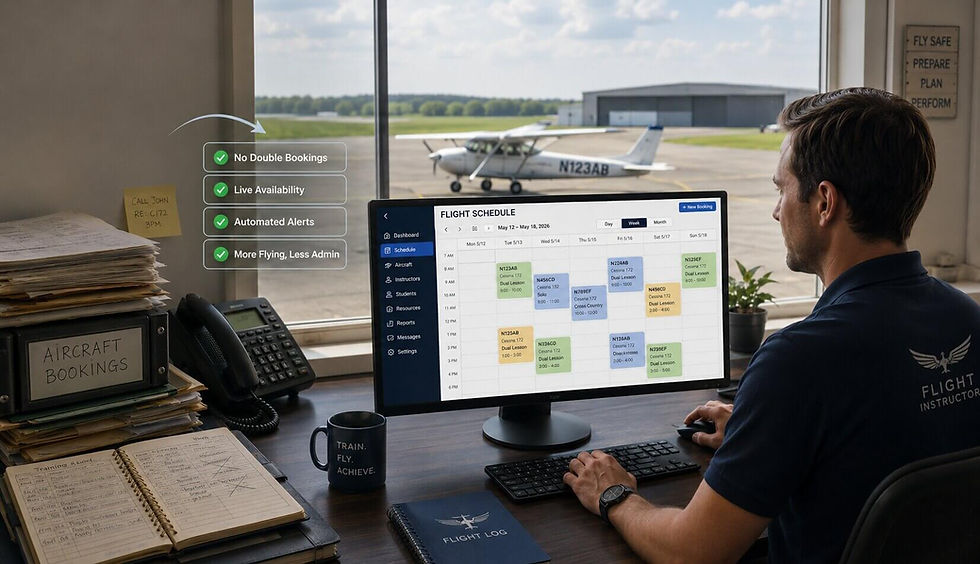
How to Schedule Aircraft, Instructors, and Students Without Double-Booking


Double-booking doesn't usually happen because someone forgot to check the schedule. It happens because there isn't one place that everyone trusts.
A flight school or flying club has three moving parts to coordinate: the aircraft, the instructor, and the student. If even one of those is booked somewhere else—or someone forgets to update a spreadsheet—the entire lesson can fall apart.
One scheduling conflict can waste an instructor's time, leave an aircraft sitting on the ramp, frustrate a student who planned their day around the lesson, and create hours of back-and-forth messages trying to reschedule.
The good news is that double-bookings are almost always preventable. With a shared scheduling system and a few simple rules, every booking can be checked against real availability before it's confirmed.
This guide explains why scheduling conflicts happen and shows a workflow that keeps aircraft, instructors, and students synchronized.
Why Double-Booking Happens in the First Place
Most scheduling conflicts aren't caused by carelessness. They're caused by information being spread across too many places.
One instructor updates a calendar.
Another instructor keeps their own schedule.
Aircraft availability lives in a spreadsheet.
Students book through email or text messages.
Someone writes a reservation on paper.
Individually, none of these systems seems like a problem. Together, they guarantee confusion.
By the time everyone realizes two people have reserved the same aircraft or instructor, somebody has already driven to the airport.
The larger the school or club becomes, the more often this happens. Every additional aircraft, instructor, or student creates more scheduling combinations to manage.
Without one live schedule, conflicts become unavoidable.
The Three Things You Are Really Scheduling
Many people think they're scheduling airplanes.
They're actually scheduling three resources at the same time.
Aircraft
Every reservation begins with the aircraft. Maintenance windows, inspections, overnight trips, and existing bookings all affect whether the airplane is actually available.
Instructors
Even if an aircraft is free, the instructor may already be flying with another student or unavailable that day.
Students
Students have work schedules, weather limitations, currency requirements, and availability that also need to match.
A reservation only works when all three pieces line up.
Trying to coordinate those moving parts through spreadsheets, emails, and group texts becomes increasingly difficult as the organization grows.
A shared scheduling system solves this by checking every resource before a reservation is confirmed.
Step 1: Schedule Aircraft, Instructors, and Students Using One Shared Calendar
The first step toward eliminating double-bookings is simple.
Everyone needs to use the same calendar.
Not one spreadsheet for aircraft.
Another calendar for instructors.
And a separate booking notebook at the front desk.
A shared live calendar means every reservation is immediately visible to everyone who needs it.
When an aircraft is booked, everyone sees it.
When an instructor becomes unavailable, the schedule updates immediately.
When a lesson is cancelled, the opening becomes available without someone having to edit three different files.
Having one source of truth removes most scheduling conflicts before they even begin.
Step 2: Let People Book Against Real Availability
A live calendar only solves half the problem. The next step is making sure people can only book resources that are actually available.
When someone creates a reservation, the system should immediately verify that:
The aircraft isn't already reserved.
The instructor is available.
The selected time doesn't overlap another booking.
Any maintenance blocks are respected.
This prevents conflicts before they happen instead of discovering them later.
Without these checks, staff members spend hours fixing scheduling mistakes that could have been avoided with automatic availability checking.
For flight schools, this also creates a better experience for students. Instead of waiting for emails to confirm whether an instructor or aircraft is free, bookings can be made with confidence because availability is always current.
The fewer manual decisions people have to make, the fewer scheduling mistakes occur.
Step 3: Block Hours That Are Not Bookable
Not every hour should appear as available.
Aircraft require inspections, scheduled maintenance, cleaning, and occasional downtime.
Instructors need vacation days, lunch breaks, meetings, and personal appointments.
Some schools also reserve aircraft for check rides, discovery flights, or special events.
If these periods aren't blocked in advance, someone will eventually reserve them.
That's why good scheduling isn't only about adding reservations—it's also about preventing reservations when resources shouldn't be available.
Creating maintenance blocks and instructor availability in advance keeps the schedule accurate and prevents awkward phone calls asking students to reschedule because an aircraft suddenly became unavailable.
It's much easier to prevent a bad booking than to fix one.
Step 4: Use Backup Reservations So Empty Slots Don't Go to Waste
Even well-organized schedules have cancellations.
Weather changes.
Students become sick.
Aircraft go into unexpected maintenance.
Lessons are cancelled every week.
Without a plan, those cancelled time slots simply disappear.
Instead, schools can keep a waiting list or use backup reservations.
When an opening appears, another student can immediately take the available slot instead of letting an instructor and aircraft sit idle.
Over time, filling even a few cancelled bookings each week can significantly improve aircraft utilization and instructor productivity without adding additional resources.
Making the schedule flexible doesn't create more work—it helps recover time that would otherwise be lost.
A Quick Before-and-After Example
Imagine a school with three aircraft, four instructors, and forty active students.
Without a shared scheduling system, instructors manage their own calendars, aircraft availability is tracked in a spreadsheet, and students request bookings through email.
Every week, someone accidentally schedules an aircraft that's already reserved or assigns an instructor who isn't available.
Staff spend hours correcting mistakes, calling students, and rearranging lessons.
Now imagine the same school using one shared scheduling system.
Aircraft, instructors, and students all use the same live calendar.
Availability is checked automatically before each booking.
Maintenance blocks prevent unavailable aircraft from appearing as free.
Cancelled lessons are quickly reassigned to students on a waiting list.
Nothing else about the school changes—but scheduling becomes smoother, instructors spend more time teaching, and students experience fewer disruptions.
The biggest improvement isn't faster scheduling.
It's avoiding problems before they happen.
The Bottom Line
Double-booking isn't an inevitable part of running a flight school or flying club.
It's usually the result of disconnected calendars, outdated spreadsheets, and manual scheduling processes that become harder to manage as an organization grows.
Keeping aircraft, instructors, and students on one shared scheduling system gives everyone the same view of availability and dramatically reduces scheduling conflicts.
Instead of reacting to booking mistakes, staff can focus on training students, managing aircraft, and growing the business.
If scheduling conflicts are becoming more common, it may be time to replace spreadsheets with a scheduling system designed specifically for flight schools and flying clubs.
See our pricing plans, or Create Free Club and start scheduling aircraft, instructors, and students with confidence in just a few minutes.
PilotSchedule has helped flight schools, flying clubs, and independent instructors keep their aircraft and CFIs organized since 2003, whichever training path they run.