What to Look for in Flight School Scheduling Software: A Buyer's Checklist

Most flight schools don't start looking for scheduling software because they want new software.
They start looking because something keeps going wrong.
Maybe an instructor gets booked for two lessons at the same time. A student arrives expecting an aircraft that's already in use. Someone spends the morning answering scheduling texts instead of helping students. At first, these problems are manageable. But as your school grows, they start costing time, money, and confidence.
That's why choosing flight school scheduling software isn't just about comparing feature lists. The right system should simplify your day, reduce administrative work, and make it easier for instructors, students, and office staff to stay on the same page.
If you're evaluating different scheduling platforms, this checklist will help you focus on what actually matters, the warning signs to avoid, and the questions worth asking before you commit.
Before You Compare Features, Think About Your Daily Workflow
Every flight school operates a little differently, but the scheduling challenges are surprisingly similar.
Aircraft availability changes. Instructors adjust their calendars. Students cancel lessons because of weather or personal commitments. Maintenance can take an aircraft offline with little notice. Without the right scheduling system, even small changes can create a chain reaction that affects the rest of the day.
Good scheduling software isn't about adding more technology. It's about making these everyday changes easier to manage.
If you're still deciding whether scheduling software is the right move for your operation, our Flight School Scheduling Software: A Complete Guide explains when schools typically outgrow spreadsheets and paper calendars, and what to expect from an online scheduling platform.
10 Things to Look for in Flight School Scheduling Software
Every software company will tell you they have the best solution.
Instead of focusing on long feature lists or marketing claims, use this checklist to evaluate whether a platform will actually make your operation easier to run.
1. Can it prevent scheduling conflicts before they happen?
Double bookings create unnecessary stress for everyone involved.
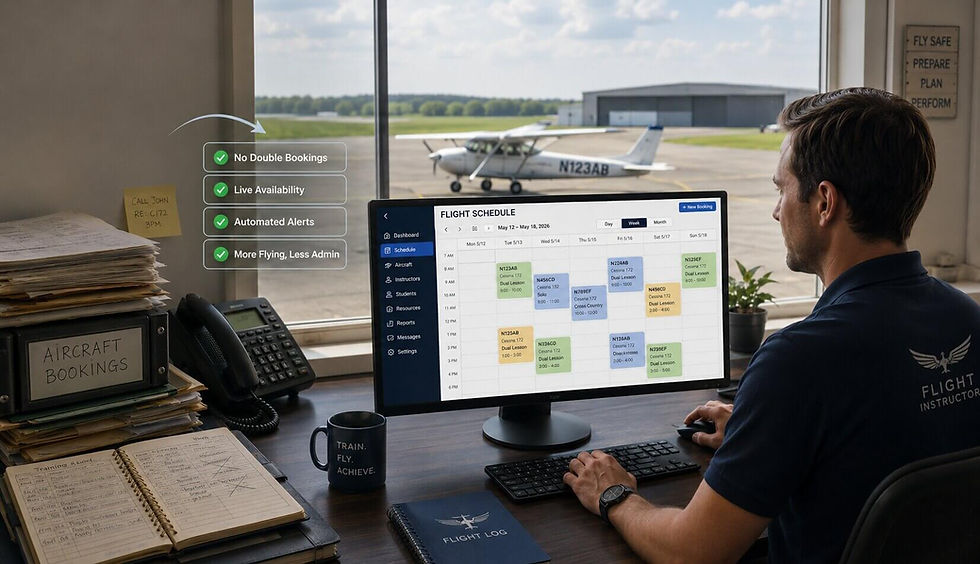
The software should automatically show real-time availability for aircraft, instructors, and other shared resources, making it difficult to accidentally book the same resource twice.
If conflict prevention depends on staff noticing mistakes manually, the system isn't doing enough.
2. Can students book lessons without creating extra work for your staff?
Students increasingly expect to book lessons online, but that shouldn't mean giving up control of your schedule.
Look for software that lets students request or reserve available lesson times while still allowing administrators or instructors to control availability, approvals, and scheduling rules.
The goal is fewer phone calls, not less oversight.
3. Does it schedule more than just instructors?
Your calendar should include every resource that affects training.
Aircraft, simulators, classrooms, briefing rooms, and instructors all need to work together. Managing them separately often leads to conflicts that aren't discovered until someone arrives for their lesson.
Keeping everything in one schedule gives your team a complete picture of the day.
4. Is changing availability quick and simple?
Schedules change constantly.
Weather delays flights. Aircraft go into maintenance. Instructors take vacation or become unavailable with short notice.
Updating availability should take seconds, not require editing multiple calendars or contacting every student individually.
5. Can your team manage schedules from anywhere?
Flight schools don't operate from one desk.
Whether someone is in the office, on the flight line, or away from the airport, they should be able to view schedules, update bookings, and check availability using a phone, tablet, or laptop.
The easier it is to access the schedule, the fewer communication bottlenecks your team will face.
6. Will it grow with your flight school?
The software you choose today should still work two or three years from now.
Maybe you're operating with two instructors today but plan to add more next year. Perhaps you're thinking about expanding your fleet, starting a flying club, or opening another location.
Switching scheduling systems every time your business grows is disruptive and time-consuming. It's worth choosing a platform that can grow alongside your operation instead of forcing you to migrate later.
7. Does it keep everyone informed automatically?
Every lesson shouldn't require three phone calls and four text messages.
A good scheduling system keeps instructors and students informed with automatic booking confirmations, reminders, cancellations, and schedule updates. That means fewer missed lessons, less confusion, and less time spent following up manually.
The less time your staff spends communicating routine updates, the more time they can spend supporting students.
8. Is it actually easy to use?
This is one of the most overlooked questions.
Some scheduling platforms look impressive during a product demo but become frustrating once your team starts using them every day.
Creating a reservation, changing an aircraft assignment, blocking instructor availability, or moving a lesson shouldn't require extensive training. If common tasks feel complicated, your staff will eventually avoid using the system properly.
The best scheduling software is often the one your team enjoys using because it simply makes their job easier.
9. Is the pricing straightforward?
Pricing shouldn't be a mystery.
Before making a decision, ask exactly what is included in the monthly subscription. Some providers charge extra for additional instructors, aircraft, support, setup, or premium features.
Knowing the full cost upfront makes it much easier to compare software fairly and avoid unexpected expenses later.
You can compare PilotSchedule's Plans & Pricing to see exactly what's included at each level.
10. Is the company still improving the product?
Software shouldn't stay the same for years.
Look for a provider that regularly updates its platform, listens to customer feedback, and continues adding improvements instead of leaving customers with outdated tools.
Scheduling software becomes part of your daily operation. Choosing a company that continues investing in its product gives you confidence that your system will continue improving as your business evolves.
Red Flags Worth Paying Attention To
Sometimes it's easier to spot what you don't want.
As you compare different scheduling platforms, be cautious if you notice any of these warning signs:
Scheduling conflicts can still happen without manual checking.
Students can't book lessons online.
Aircraft and instructors are managed on separate calendars.
The software feels complicated during the demo.
Pricing isn't clearly explained.
Long-term contracts are required before you've had a chance to properly evaluate the product.
Mobile access is limited or difficult to use.
Customer support is difficult to reach before you've even become a customer.
One or two of these issues might not be deal breakers, but several together should make you think twice.
Questions Every Flight School Should Ask Before Buying
Product demonstrations often focus on what software can do. These questions help you understand how it performs in real-world operations.
Consider asking:
How does the system prevent double bookings?
Can students book lessons online themselves?
How are aircraft maintenance periods handled?
How long does setup usually take?
Is training included?
Can I add instructors or aircraft later without changing plans?
What happens if I need help after I get started?
Are there any contracts or setup fees?
The answers will usually tell you far more than another feature comparison chart.
The Bottom Line
Choosing flight school scheduling software isn't about finding the platform with the longest list of features. It's about finding one that helps your school operate more smoothly every single day.
The right software should reduce administrative work, improve communication, prevent scheduling conflicts, and make it easier for students, instructors, and staff to stay organized.
If a platform checks the boxes in this checklist, you're probably looking at a solution that will continue supporting your operation as it grows.
PilotSchedule was built specifically for flight schools, flying clubs, independent instructors, and aviation organizations that want a simpler way to manage scheduling without unnecessary complexity.
If you'd like to see how it works, explore the Features page, compare the Plans & Pricing, or Create Your Free Club to experience the scheduling system firsthand.