New in PilotSchedule: A Redesigned Day View, Reservation History, and Better Club News


We’ve released several new updates to PilotSchedule focused on making day-to-day scheduling easier, improving visibility into reservation changes, and giving clubs a better way to communicate with their members.
These updates include a completely redesigned Day View, a new Reservation History feature, and major improvements to Manage News and the member-facing News page.
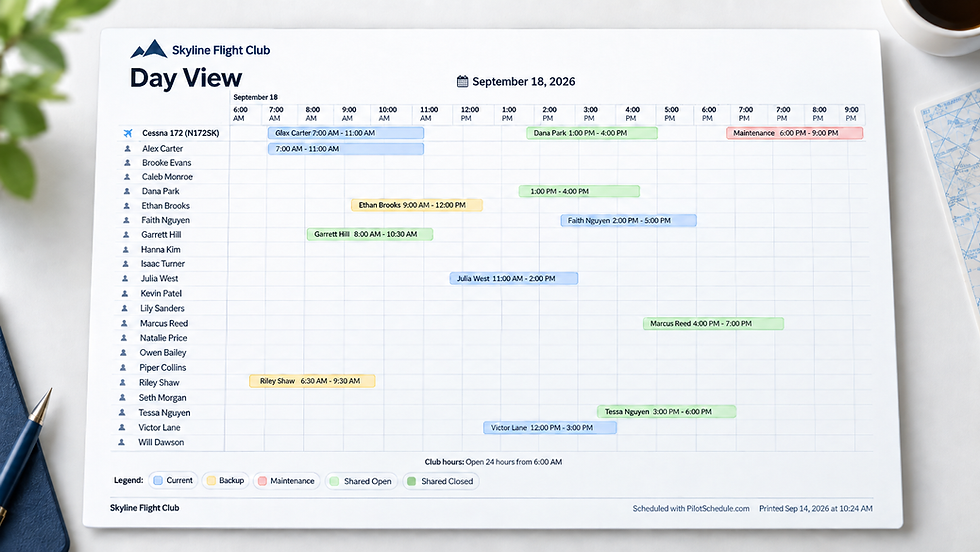
A New, Modern PilotSchedule Day View
The Day View is one of the most frequently used areas of PilotSchedule, so we’ve given it a major refresh.
The new design provides a cleaner view of your club’s aircraft, instructors, and other resources while making reservations easier to read and manage. It was also designed with mobile and tablet use in mind, so checking or managing the schedule is more practical when you’re away from a desktop.
Other improvements include easier date navigation and the ability to switch between Compact and Relaxed layouts depending on how much information you want to see on the screen.
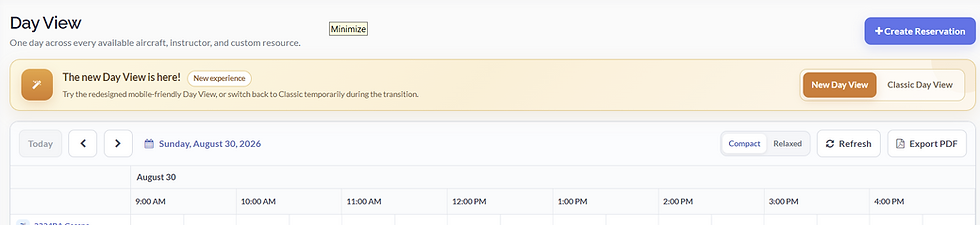
Prefer the Classic Day View? You Can Still Switch Back
We want the transition to the redesigned schedule to be smooth.
For now, users can switch between the New Day View and the Classic Day View directly from the schedule.
If you experience an issue with the new version, you can temporarily switch back to Classic Day View and continue working normally.
Please report any issue you encounter. We’re actively monitoring feedback and will work to fix reported problems promptly as we continue refining the new experience.
New Reservation History
We’ve also added a feature that club administrators and staff have asked for: Reservation History.
When viewing or editing a reservation, authorized users will now see a View Reservation History link.

Reservation History makes it easier to understand what happened to a reservation over time by providing a historical record of changes.
This is particularly useful when a reservation has been modified and an administrator needs to determine what changed rather than relying on the reservation’s current information alone.
A Redesigned Manage News Experience
We’ve also rebuilt the Manage News experience for club administrators.
Creating and managing club announcements is now cleaner and more straightforward, with a modern interface for creating, editing, publishing, archiving, and organizing News items.
The redesigned workflow is intentionally simpler: administrators can prepare an announcement as a Draft and publish it when it is ready for members to see.
Make Club News More Visual
The member-facing News experience has also been redesigned.
News can now include a cover image, giving clubs a more engaging way to present important announcements, events, policy changes, maintenance updates, or other information to their members.
A strong cover image can help an important announcement stand out while making the overall News page feel more polished and modern.
Continuing to Modernize PilotSchedule
These changes are part of our ongoing modernization of PilotSchedule.
Our goal isn’t simply to change how the application looks. We’re improving the existing tools clubs use every day while adding features that make managing a flight school, flying club, or aviation organization easier.
The New Day View, Reservation History, and redesigned News experience are available now.
Have feedback on the new Day View or other recent updates? We’d love to hear it as we continue improving PilotSchedule.