Spreadsheet vs. Scheduling Software for Flight Schools: When the Spreadsheet Actually Stops Working


Every flight school starts the same way: one shared Google Sheet, a color code for each aircraft, and an honor system where you type your name in a cell before you take the airplane up. For a two-aircraft operation with three instructors, it works fine. Nobody sets out to replace it until the day two instructors book the same 172 for the same Saturday morning, both find out at the hangar, and the argument over who saw the sheet first eats twenty minutes that should have been a lesson.
That's usually the actual moment a school starts asking the spreadsheet vs scheduling software question, not because someone read an article about efficiency, but because the spreadsheet just failed in front of a student.
What a spreadsheet is actually good at
To be fair to the spreadsheet: it's free, everyone already knows how to use it, and for a very small operation it genuinely works. One or two aircraft, a handful of instructors who all talk to each other daily, and low enough volume that a double-booking is rare rather than routine. If that describes your school today, the honest answer is that you don't need to switch yet.
Where it starts to break
The spreadsheet doesn't fail all at once. It fails in a specific, predictable sequence as a school adds aircraft, instructors, or students.
Nothing stops a conflict from being entered. A cell can hold two names just as easily as one. The sheet doesn't know that's a problem until a human notices, sometimes not until both people show up.
Editing happens outside the sheet. Someone books by text, someone else forgets to update the cell, and the version everyone's looking at is quietly out of date within a day.
There's no real access control. Anyone with the link can edit anyone else's row, intentionally or by fat-fingering the wrong cell.
Cancellations disappear instead of reopening. A canceled slot is just an empty cell again. Nothing tells the three students who wanted that time that it's now free.
There's no history. When a dispute comes up about who booked what and when, a shared sheet with no edit log turns into a "he said, she said" instead of a quick lookup.
None of these are spreadsheet failures exactly. They're the predictable result of using a general-purpose tool for a job that needs rules a spreadsheet was never built to enforce.
Spreadsheet vs Scheduling Software: What It Actually Adds
The core difference isn't a nicer-looking calendar. It's that the system enforces rules the spreadsheet can only ask people to follow.
Double-booking becomes literally impossible, not just unlikely, because the system checks availability before a reservation is created rather than after someone notices.
Roles and permissions match reality. An instructor manages their own calendar; a student can book within the limits set for them; nobody can edit someone else's reservation by accident.
Backup reservations recover canceled time automatically, instead of a freed slot sitting invisible until someone happens to check.
A reservation history exists for every booking, cancellation, and change, so a scheduling dispute has an answer instead of a debate.
What you give up, and it's worth naming
Scheduling software costs something the spreadsheet doesn't, and it's fair to weigh that honestly. There's a monthly fee, however small. There's a short setup period to add aircraft, instructors, and booking rules. And it's one more login for people who are used to a link everyone already has bookmarked. For a school running two aircraft and never seeing a conflict, that trade isn't worth making yet.
The point where the trade flips
The switch usually makes sense once any of these show up regularly: more than two or three aircraft, more than a handful of instructors who don't all see each other daily, students booking directly instead of through a single scheduler, or a double-booking that's happened more than once in recent memory. At that point the cost of the software is smaller than the cost of the collisions the spreadsheet keeps letting through.
What PilotSchedule looks like on the other side
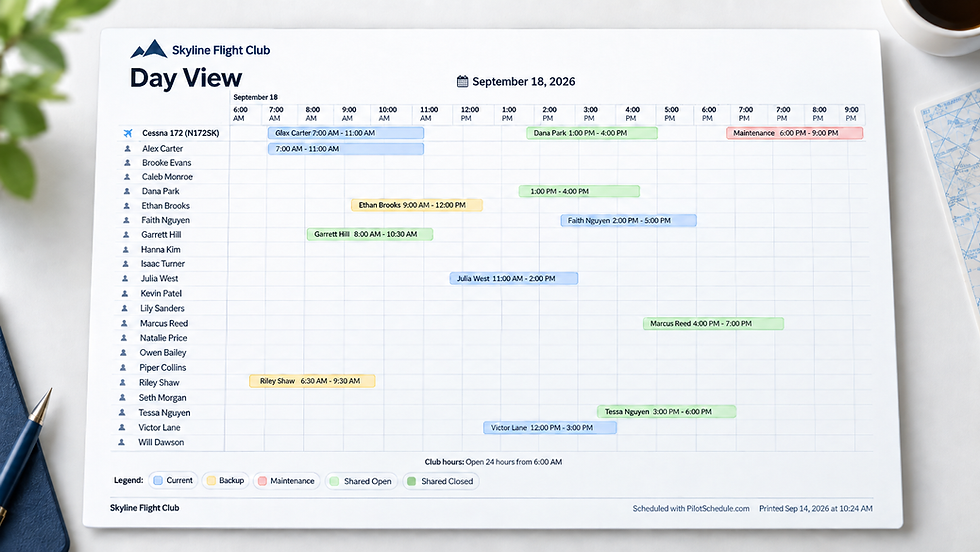
PilotSchedule runs $20 a month for a single club with one or two aircraft on the Solo plan, up to $50 a month for up to ten resources on Basic, scaling up from there for larger fleets and multi-club operations. It replaces the spreadsheet's honor system with a live calendar that refuses conflicts outright, gives every aircraft, instructor, and resource its own view, and keeps a full history of every booking and change. It doesn't do billing or payroll, that's a deliberate scope decision, it's a scheduling system, not an all-in-one operations platform.
Making the switch without a rough week
Run the new system and the spreadsheet in parallel for one week rather than cutting over overnight.
Add aircraft, instructors, and any shared resources first, before inviting the full student roster.
Set your actual booking rules (advance windows, cancellation policy) so the system enforces what the spreadsheet only assumed.
Migrate active reservations from the spreadsheet manually for that first week; don't try to import history you don't need.
Retire the spreadsheet once a full week has gone by with everyone booking in the new system.
Frequently asked questions
Is a spreadsheet really that bad for a small flight school?
For one or two aircraft with a few instructors who talk daily, it's genuinely fine. The problems show up with scale, not from day one.
What's the actual cost difference?
A spreadsheet is free. Scheduling software runs from around $20 a month for a small operation. The comparison that matters is that cost against the value of the instructor and aircraft hours lost to a single avoidable double-booking.
Do we lose flexibility by switching?
Some informal flexibility, yes, someone can no longer just type over someone else's row. What replaces it is a system that enforces rules the spreadsheet only asked people to follow.
Can we try scheduling software without fully committing?
Running it alongside the spreadsheet for a trial week is the lowest-risk way to see the difference before retiring the sheet completely.
The bottom line
The spreadsheet isn't wrong for every school, it's wrong for the school it hasn't fit for a while. The tell is usually a double-booking that happens in front of a student instead of on paper. Create a free club and see what a live calendar catches that a shared sheet never could.