
Aircraft Fleet Management Software
Your entire fleet, one place. Give aircraft their own profiles with photos, specifications, avionics, rates and documents. Members can browse aircraft availability and reserve the right aircraft.
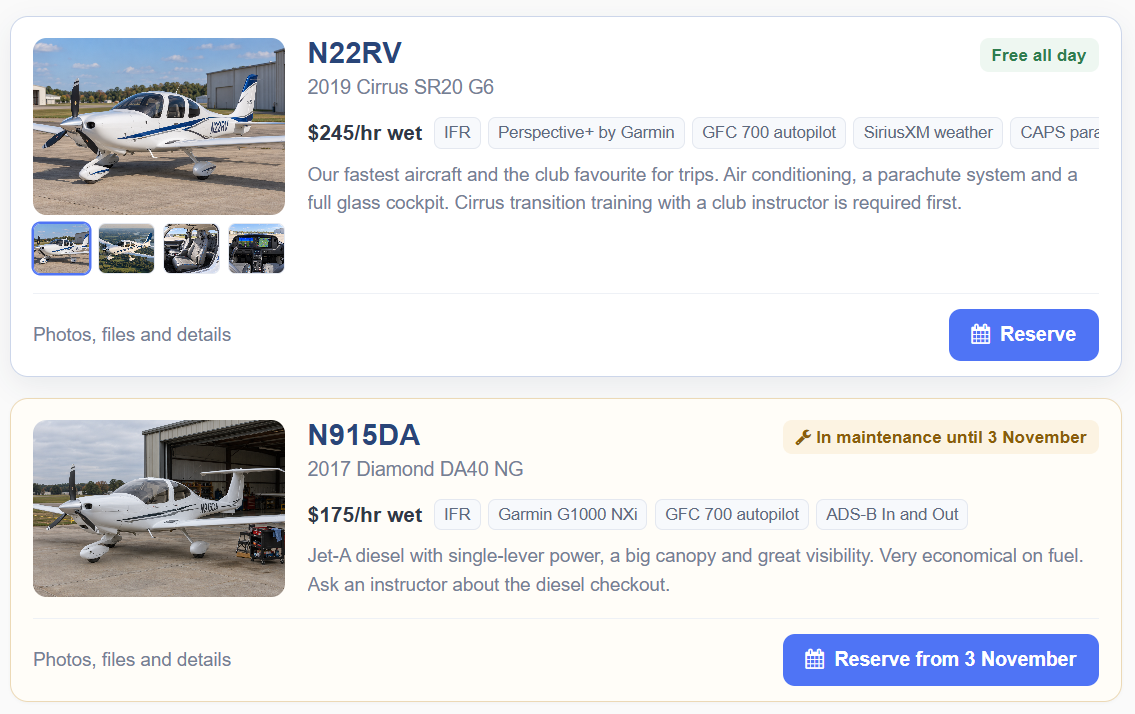
Explore your fleet at a glance
See aircraft photos, rates, IFR/VFR capability, availability and reservation actions together.
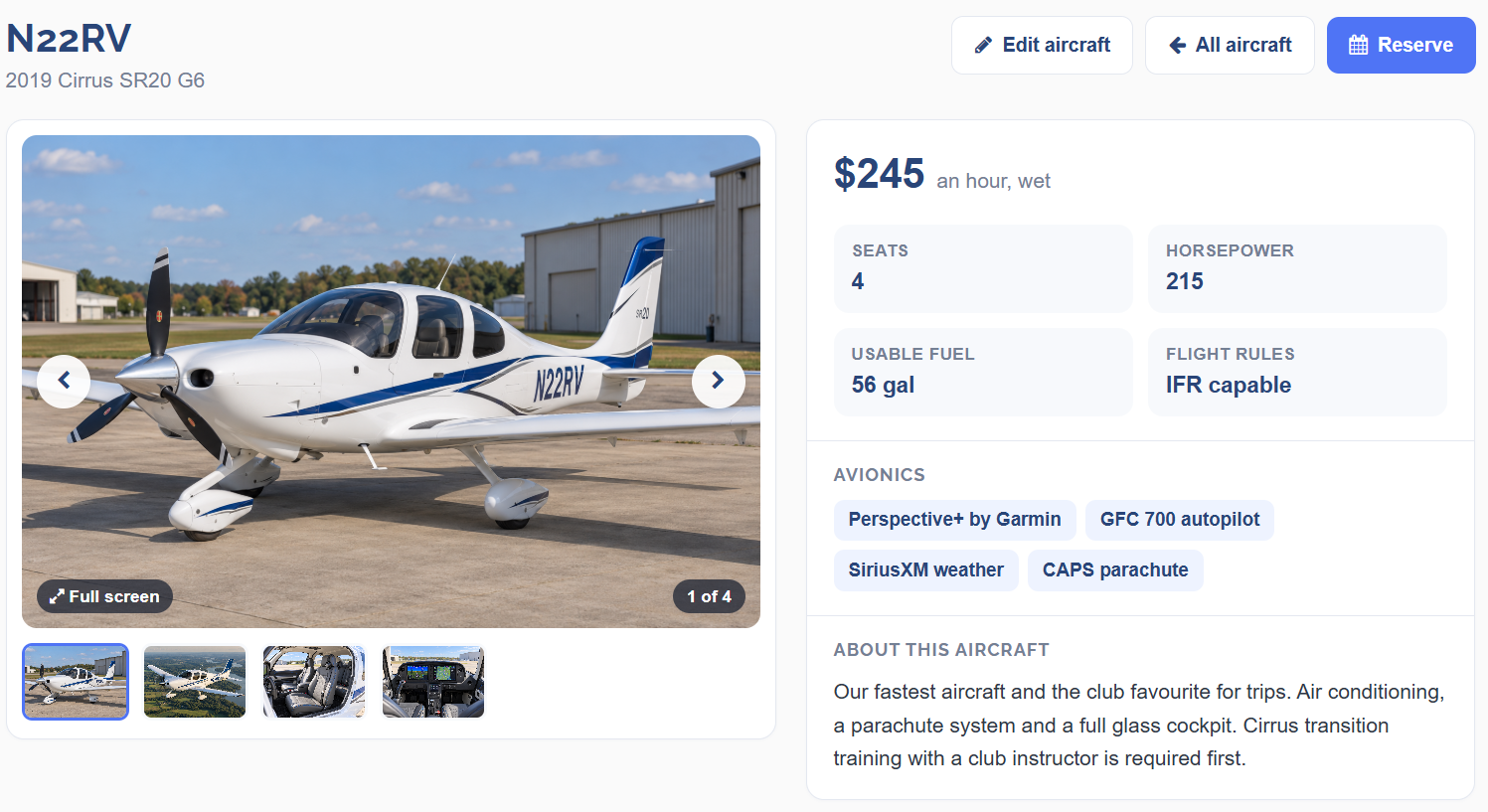
Give every aircraft its own page
Aircraft profiles display photos, specifications, avionics, documents and rates alongside the reservation workflow.
From fleet browsing to booking
Understand availability
Review availability before starting a reservation.
Plan around maintenance
See expected return-to-service availability and begin reserving from that date.
Reserve from its profile
Go directly from an aircraft profile to the reservation workflow.
Keep aircraft information organized
Photos and fleet presentation
Choose cover photos, organize aircraft images, set fleet order and control visibility.
Aircraft documents
Store aircraft-specific documents with member or admin-only visibility.
Inspection dates
Record annual and 100-hour inspection dates and view upcoming reminders.
Aircraft Fleet Management FAQs
Can members view aircraft photos and specifications?
Yes. Aircraft profiles show photos, specs and avionics.
Can I show different rates for different aircraft?
Yes. Each aircraft can display its configured rates.
Can I store aircraft documents?
Yes, with member or admin-only visibility controls.
Can I track inspection dates?
Yes, for dated inspection reminders; this is not a complete maintenance work-order system.
Can members reserve an aircraft currently in maintenance?
They can start a reservation from the expected return-to-service date, subject to booking rules.